Why Use Stripe for Discord Community Payments

Published · Updated · 4 min read
Short answer
Stripe suits paid Discord communities because it handles recurring subscriptions, one-time sales, many payment methods and automatic retries in one account, with pay-as-you-go pricing and certified card security. The money lands in your own Stripe account, and a membership tool turns Stripe's subscription events into Discord roles that are added and removed automatically.
| US domestic cards | 2.9% + 30¢ per successful charge |
|---|---|
| International cards | +1.5%, and +1% if currency conversion is needed |
| ACH Direct Debit (US) | 0.8%, capped at $5 |
| Stripe Billing (pay as you go) | 0.7% of Billing volume |
| Card security | PCI Service Provider Level 1 |
Checked against the sources at the end of this article.
When you start charging for a Discord community, the payment processor you choose decides how members pay, how renewals work, where your money lands and how much work cancellations create. Stripe is the processor most Discord membership tools are built on, and for good reasons. This guide explains them, with current prices, and how Stripe connects to Discord roles. It belongs to our Stripe and Discord topic.
Five reasons communities choose Stripe
1. Subscriptions are built in
Stripe Billing handles recurring charges, plan changes, invoices, trials and cancellations. You define a price once, and Stripe charges members on schedule. A failed renewal does not mean a lost member, because Stripe can retry the payment automatically.
2. One-time sales sit alongside subscriptions
The same account can sell a course archive, an event ticket or lifetime access as a one-time payment. Members see one checkout style, and you see all revenue in one place.
3. Members can pay the way they prefer
Stripe supports cards, digital wallets and local payment methods, and US bank debits through ACH at 0.8% capped at $5. Offering a familiar method at checkout is one of the simplest ways to reduce abandoned payments.
4. Pricing is pay as you go
There are no setup or monthly fees for standard payments. A US domestic card costs 2.9% + 30¢ per successful charge; international cards add 1.5%, and currency conversion adds 1% where needed. If you use Stripe Billing on its pay-as-you-go plan, Billing adds 0.7% of the recurring volume.
5. Security and ownership
Stripe is certified as a PCI Service Provider Level 1, the strictest level in the payments industry, and its hosted checkout keeps card numbers away from your server and your bot. Payments land in your own Stripe account, so the customer records are yours even if you change tools.
How Stripe connects to Discord
Stripe knows who paid; Discord knows who has which role. Something has to link them. The usual pattern:
- The buyer signs in with Discord on your checkout page, so their Discord account is known.
- They pay through Stripe.
- A bot gives them the paid role.
- When Stripe reports a canceled subscription, the bot removes the role.
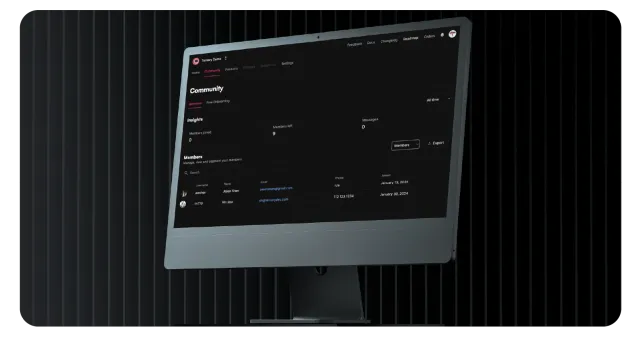
Ternary does this for you: a signup gate with Discord login, branded checkout pages, Stripe payments for subscriptions and one-time purchases, roles added on sign-up and removed on cancellation, and a member CRM with dashboards. Ternary is listed in Stripe’s Partner Directory. The detailed build options are in our pillar guide, Stripe Discord integration: how to connect payments.
Three settings to check in Stripe
- Statement descriptor: use a name members will recognize on their card statement. Unrecognized charges turn into disputes.
- Automatic retries: switch them on so a declined renewal gets more chances before the subscription ends.
- Email receipts: send them, so every member has a record of what they paid and when.
When Stripe is not the right fit
- If you are a US owner and want everything inside the Discord app, Discord’s own Server Subscriptions may be simpler, at the cost of a 10% platform fee and Discord holding the customer relationship.
- If most of your members insist on a payment method Stripe does not offer in their country, check local coverage first.
- If your business falls under Stripe’s restricted categories, you will need a different processor.
Quick comparison
| Question | Stripe with a membership tool | Discord Server Subscriptions |
|---|---|---|
| Who holds customer data | You, in your Stripe account | Discord |
| Where it works | Wherever Stripe operates | US-based owners only |
| Platform cut | Your tool’s fee | 10% after processing fees |
| One-time products | Yes | Server Products, in limited beta |
To put this into practice, follow connect your website, Stripe and Discord in 3 steps.
FAQ
Can I use PayPal instead of Stripe for a Discord community?
You can take PayPal payments, but you would need a separate way to give and remove Discord roles. Many Discord membership tools, including Ternary, are built on Stripe, which also offers wallets such as Apple Pay and Google Pay. If your members insist on PayPal, check whether your membership tool supports it before you commit.
Who owns the customers when I use Stripe?
You do. Payments go into your own Stripe account, and the customer records, subscriptions and payment history live there. If you change membership tools later, your Stripe data stays with you. That is a key difference from selling through a marketplace or a platform's built-in checkout, where the platform holds the customer relationship.
What does Stripe cost on a $20 monthly membership?
With a US card, Stripe's standard fee is 2.9% plus 30 cents, so about 88 cents per payment. International cards add 1.5% and currency conversion adds 1% where needed. If your subscriptions run on Stripe Billing on the pay-as-you-go plan, Billing adds 0.7% of the volume. Your membership tool's own fee comes on top.
Sources
- Stripe pricing and fees, checked
- Stripe Billing pricing, checked
- Security at Stripe (Stripe Documentation), checked
- Ternary Developments in the Stripe Partner Directory, checked