How Influencers Make Money Using Discord

Published · Updated · 4 min read
Short answer
Influencers make money on Discord by turning their most engaged followers into paying members. They offer tiers with perks such as exclusive posts, live sessions and early access, and sell them through Discord's Server Subscriptions or their own Stripe checkout. Income comes from fans directly, so it does not depend on ad payouts or a feed algorithm.
| Discord's own example (Dec 2022) | Bella Poarch's server: three tiers at $2.99, $4.99 and $9.99 a month |
|---|---|
| Native price range at launch | $2.99 to $199.99 per month |
| Native payout share | 90% to the creator after processing fees; US owners only |
| Own checkout | Stripe, with a tool that grants and removes Discord roles |
Checked against the sources at the end of this article.
Influencers have built audiences on Instagram, YouTube, TikTok and Snapchat, but those platforms decide who sees each post and how much it pays. More and more creators move their most engaged fans to Discord, where they own the space and can charge for it. This guide covers how they earn there. It is part of our Discord for business and creators topic.
Why influencers bring fans to Discord
- No feed in the way. Members see the channels they joined, so an announcement reaches the people who chose to follow you.
- Real conversation. Fans talk to you and to each other in text, voice and video, which turns an audience into a community.
- Income from fans, not ads. Platform payouts change with every policy update. A fan who pays monthly is a steadier source.
For the bigger picture of why creators make the move, read why creators are moving their fans to Discord.
Five ways influencers earn on Discord
1. Membership tiers
Fans pay monthly for a role that opens members-only channels. When Discord launched Server Subscriptions widely in December 2022, its example was Bella Poarch’s server, with three tiers at $2.99, $4.99 and $9.99 a month. Clear, cheap entry tiers with a step up for superfans are a common shape.
2. Exclusive content
Behind-the-scenes posts, early cuts of videos, drafts and process notes in paid channels. Fans value seeing how the work gets made.
3. Live sessions
Voice hangouts, Q&As and watch parties. They cost little to run and make members feel close to you.
4. Merch and drops
Announce limited merch to members first. A members-only window rewards supporters and creates real demand.
5. Brand partnerships
A defined, engaged community is attractive to sponsors. Label sponsored posts clearly and keep them in one channel.
How to set it up
- Build the free server first. A welcome channel, rules, a general chat and one channel that shows what members get.
- Choose how to charge. US-based creators can turn on Discord’s Server Subscriptions in Server Settings, with one to three tiers and a 90/10 split after processing fees. Anyone can sell through Stripe with a membership tool that gives each buyer a role.
- Launch a founding tier. Offer early supporters a lower price for life. It fills the paid channels quickly.
- Promote from your other platforms. Pin the invite in your bio and mention the community in content, with one concrete reason to join.
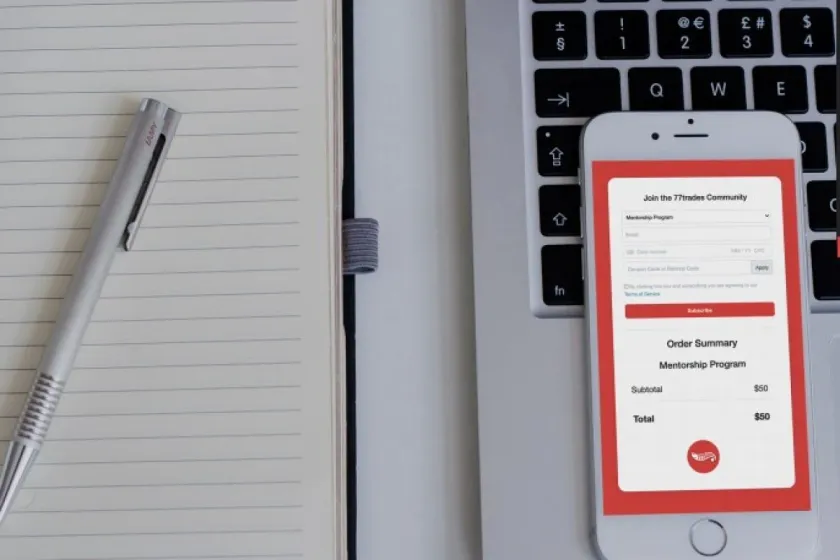
Ternary is one option for the Stripe route: a branded checkout page where fans sign in with Discord, pay, and get their role automatically, with the role removed if they cancel and every member listed in a CRM. Its Basic plan is free with no transaction fee.
Mistakes to avoid
- Moving everyone at once. Start with your most engaged followers; a busy small server beats an empty large one.
- Promising too much. If a tier includes weekly live sessions, run them every week, or change the tier before members notice.
- Disappearing. Members pay for access to you. If you take a break, say so in advance and leave something for them in the meantime.
- Blurring free and paid. Keep paid channels clearly separate, so members can see what their money buys.
Keeping fans paying
Post on a schedule, show up in voice regularly, and give members a way to shape what you make. Thank long-time members publicly. When someone cancels, ask one short question about why; the answers show you what to fix.
For more income ideas, see how to make money on Discord, and for the business side of running a server, our pillar guide, why use Discord for business.
FAQ
How much can an influencer earn from a Discord server?
It depends on the size and commitment of the audience, not on follower count alone. A useful way to estimate it is to assume that a small share of your most engaged followers would pay, multiply by a realistic monthly price, and subtract fees. Test with a founding tier for early supporters before you build anything bigger.
What perks do fans actually pay for?
Access and recognition sell best: behind-the-scenes posts, live Q&As, voice hangouts, early access to content or merch, a say in what you make next, and a role that shows they support you. Perks that need you personally scale poorly, so mix them with perks that run on their own, such as an archive or a members-only channel.
Should influencers use Discord's subscriptions or their own checkout?
US-based influencers who want the simplest setup can use Discord's Server Subscriptions, which also work for buyers inside the Discord app. Influencers outside the US, or who want to sell from their own website, keep the customer list and set their own pricing page, use a Stripe checkout with a tool that manages Discord roles.